Building the HR-AI demo
Frappe HR, a fake company and Claude, and what broke on the way
Ten minutes. That's how long it took Claude, the first time I ran it, to go through 429 employees and find 124 of the 127 mistakes planted in the data.
Getting to those ten minutes took me about four days.
The results are in the case study, where I ran the test five times and scored every run. This is the other half: what I actually built, from an empty server to that first run, and what broke on the way. In an earlier article I explained how an AI gets into an HR system: the door, the room and the key.
One thing first. The company and everyone in it are made up.
It started with a tool that wasn't AI
I wanted something that could catch HR data that was missing or didn't match. So AI helped me build a small, simple program that looked for errors. It did its job. But it was all rules, and it could only find what I told it to look for. So it wasn't really AI.
And my thing is configuration and setup, understanding how things connect. Not coding.
What I needed was a better way to analyse data. And connecting AI to other systems has got a lot easier. MCP, the control room from my earlier article, came out a couple of years ago, and it's made connecting AI a lot simpler for everyone.
How do I show what AI can actually do with HR data, then? Letting it loose on real employee data isn't the best way to find out. So I built a demo instead, and I'll walk you through how.
Running an HR system at home
I did it on my homelab. For those of you who don't know what that is, a homelab is just a few computers at home running as servers. They don't run Windows or macOS. Mine run Linux, and they usually don't have a screen. If you plugged a screen in, all you'd see is text. That's it. Just text. Remember that, because we'll get back to it.
I needed an HR system I could run on my own server, and there are a few options. I went with Frappe HR. It's open source, which is rather good, because it means anyone can download the whole system and run it themselves.
That's what I did. I downloaded it onto my server and started it.
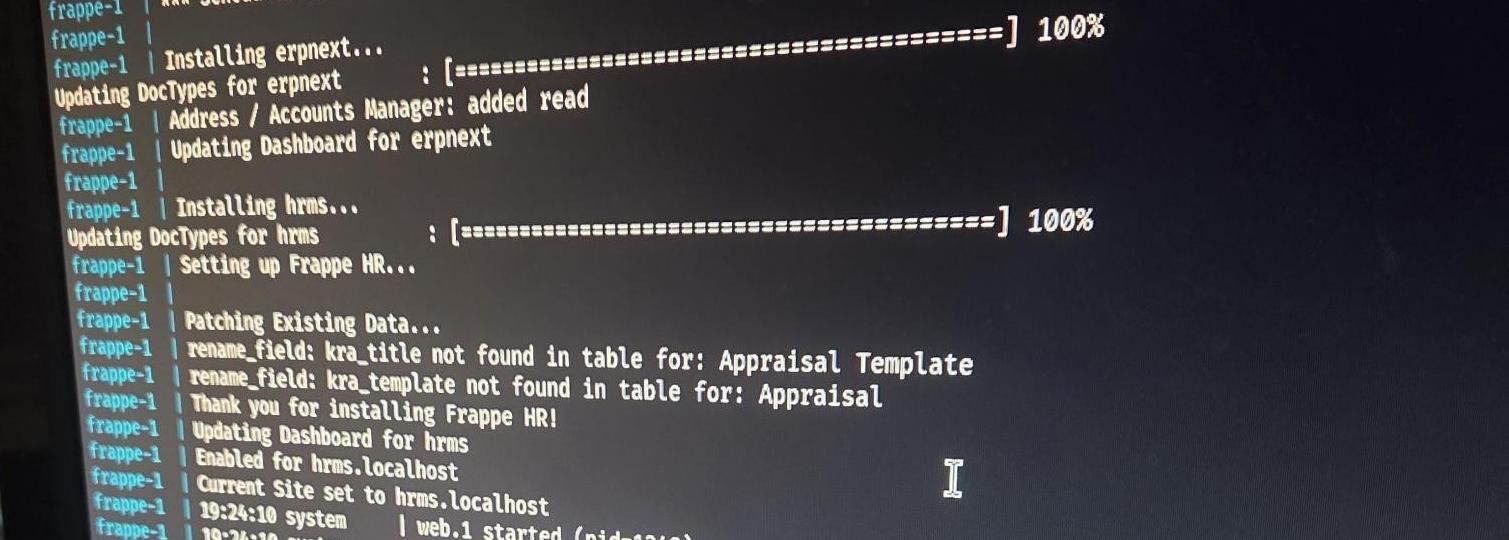
Now, it's not like Spotify, where you download it and open it. There's nothing to open on a server, because it's only text. Instead, the server makes the system available on my network, and I open it in the browser on my normal laptop.
And this is where the magic happens. I type in the address, and there it is. A working HR system. It has a database where everything is stored, it looks pretty, and it has everything it needs. I create a user and start playing with it.
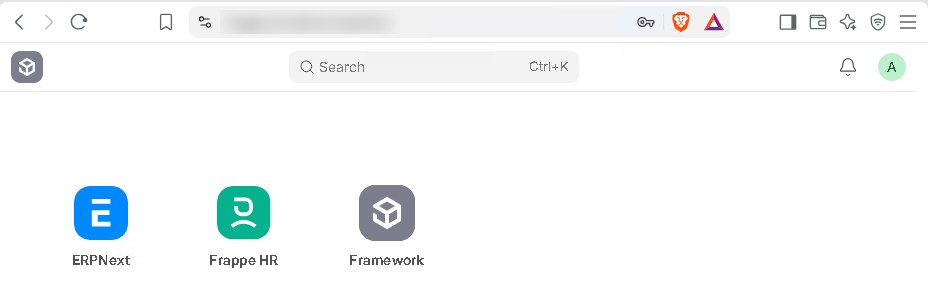
And only I can reach it. Not because the address is secret, but because my homelab is locked down. If you've heard of a firewall, imagine my server sitting behind the toughest firewall ever made. Anything that isn't my device doesn't get in.
You can't hire into an empty company
So I have an HR system. What do I need now? Data. HR data.
But before I can put a single person in, I need a company. You can't just pop people into an organisation that has no structure. It needs departments and a chain of command. It needs roles, so the system knows who can see what and who can change what. It has to look like a real company, or it isn't really an HR system.
I set it up, and the company got a name: Tindra Industrier AS.
Then came the departments, thirteen of them, the sections, and who reports to who. Only then could anyone be hired.
Hiring 429 people when your HR team is bad at paperwork
And now the fun part. If I want to show that AI can catch mistakes, I need data that's wrong. Not crazy wrong. Normal, everyday wrong, the kind of mistakes HR, managers and other admins make all the time. A misspelt name. A salary with a zero too many, or one too few. A wrong postcode. A bank account number with a digit missing.
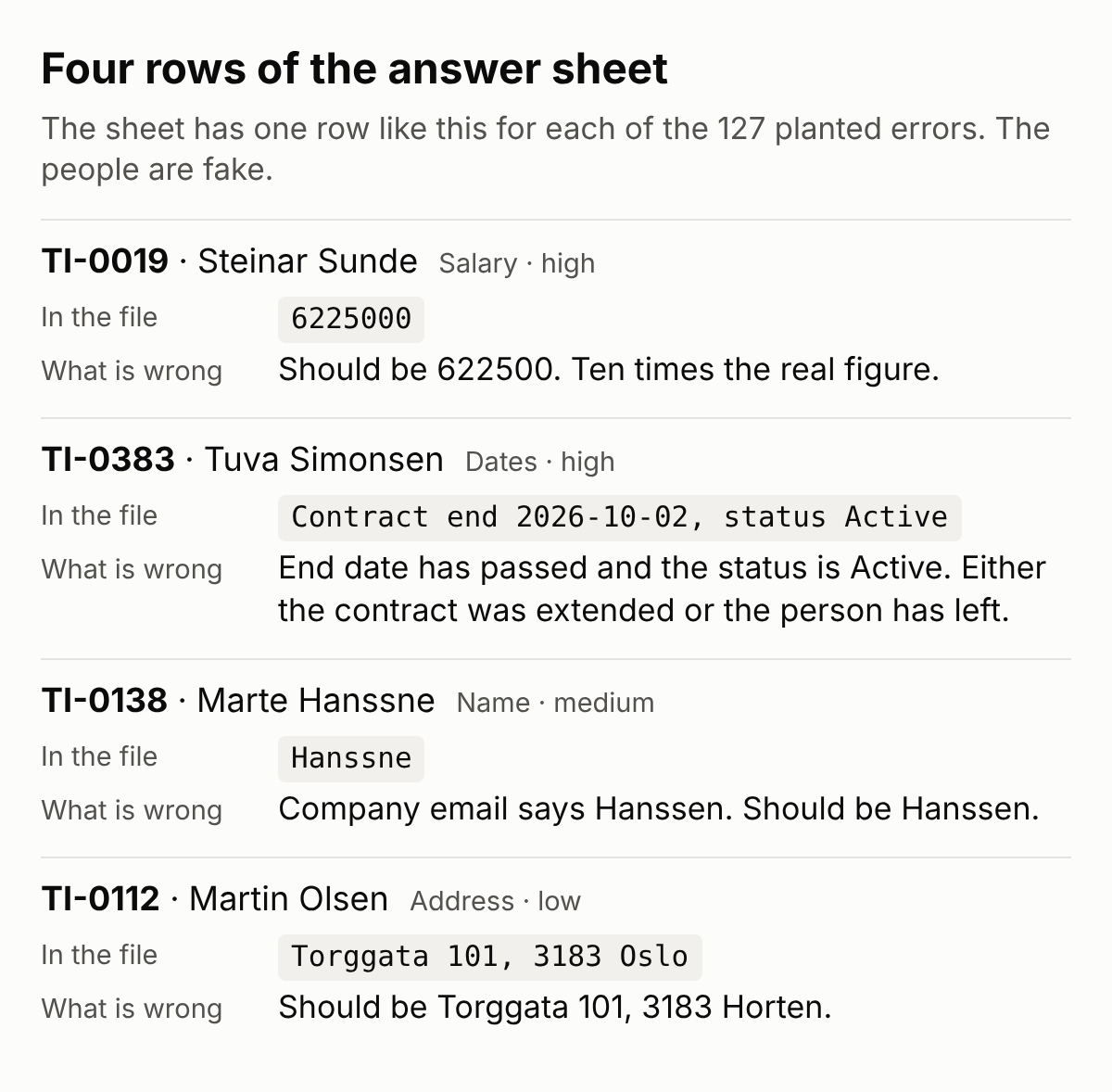
I had Claude draft up 433 fake employees with plenty of mistakes in them, and then make me an answer sheet listing every single one.
I went through the table and the answer sheet side by side, and they were close to the mistakes HR actually makes. Some harmless, some ridiculous, the kind anyone could make. Each one got a severity: high, medium or low.
I also put in a few decoys. Records that look wrong but are actually fine. Because finding mistakes is only half the job. The other half is not accusing the ones that are right.
Then came the import. I'm not going to type 433 people in by hand. Frappe has an import, like most HR systems do, so I uploaded the spreadsheet and let it do the rest.
And the system pushed back. Some of my mistakes it simply refused. Salaries written with a space or a dot between the thousands, like 472 100 or 539.700. The system couldn't tell whether that was one number or two, so it said no.
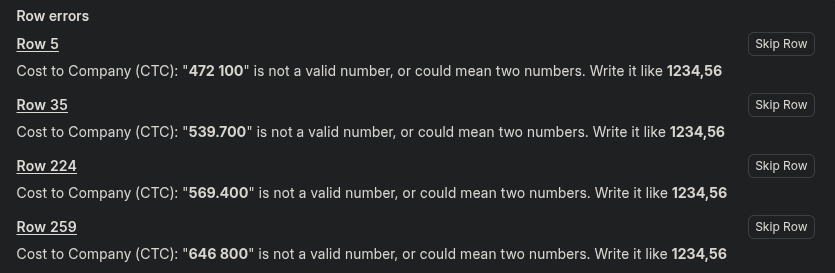
But that's only a format check. It checks whether something looks right, not whether it is right. A salary missing a zero still looks like a salary. A misspelt surname still looks like a name. Those went straight in. And those are the ones that matter, because nobody notices them.
The system also stopped me from marking a manager as left while people still reported to her. Fair enough, you can't have a reporting line to someone who isn't there. But that's exactly the kind of mistake that creeps in once a system has been running for a while.

It turned out the system only guards one direction. It won't let you mark a manager as left while people report to her. But it will let you point an employee at a manager who has already left. So that's the way those went in. And just like that, a few employees had a manager who'd already left. No real reporting line.
The four with the refused salaries I left out. In the end, 429 employees went in, carrying 127 mistakes between them.
That was a long day. So I went to bed.
Day two, my company was gone
My servers have a timer that shuts this kind of thing down at night, so it doesn't run while I sleep. That's my setup, not something servers normally do. When I came back to it, I started it up again, opened the browser and went to log in.
I put in my username and password, and it asked me to create an account. Like it was brand new. And there was no data. No company, no departments, no 429 people.
That's not what's supposed to happen.
I couldn't get in the normal way, so I went into the server instead. The text screen. And I started poking around to see what was going on.
At first I wasn't sure what had gone wrong, so I tried rebuilding the system. But I only did a partial rebuild.
The rebuild did nothing, so I looked at the databases. And there were two of them, stuck in the system. I opened the first one. Nothing. I opened the second one. All my data.
Why did it make a new one? I checked the system's rules, and it has a simple one for when it starts. Look for the database. If it's there, start. If it isn't, make a new one.
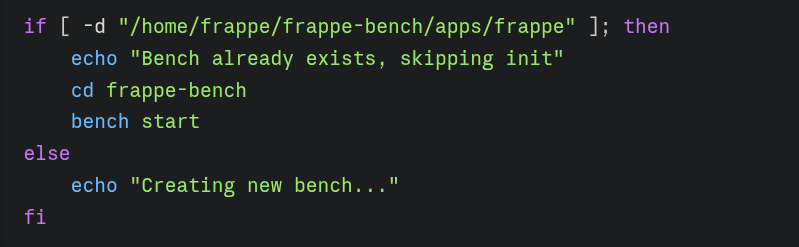
That makes sense, because the first time you start it, you want a new one. The problem was that it was looking in the wrong place. My database was there. It just wasn't looking where it was.
So I told it the name of my database. Look here. And if you ever can't find it, then go ahead and make a new one. Fine.
Now, thank God, it was using the right database. I opened the browser, typed in the address, and got the famous 404. Nothing here.
But I knew there was something there. My data was there. The system was there. Why was it telling me it was empty?
That's the partial rebuild. Frappe works like a receptionist with a guest list. It looks at the address you typed and checks whether it's on the list. When I rebuilt it halfway, my addresses never got put back on that list, so it turned me away at the door.
I put my addresses back on the list, and I was in. My company, my departments, all 429 people.
By then it was late again, and I have a life on the side. Or I try to, at least. So I left it for another day.
Getting Claude in
Now for the part I actually built all this for. How do I get an AI into the system?
Not as easily as I'd hoped. And that's mostly my own fault, because I locked my homelab down so tightly. No outside servers and no outside people get in.
And that's a problem, because when I connect Claude the normal way, the request doesn't come from my computer. It comes from the servers of Anthropic, the company behind Claude, and Anthropic says this applies even in the Claude Desktop app. Their servers go looking for my HR system, and my homelab says no. They're outside, so they don't get in.
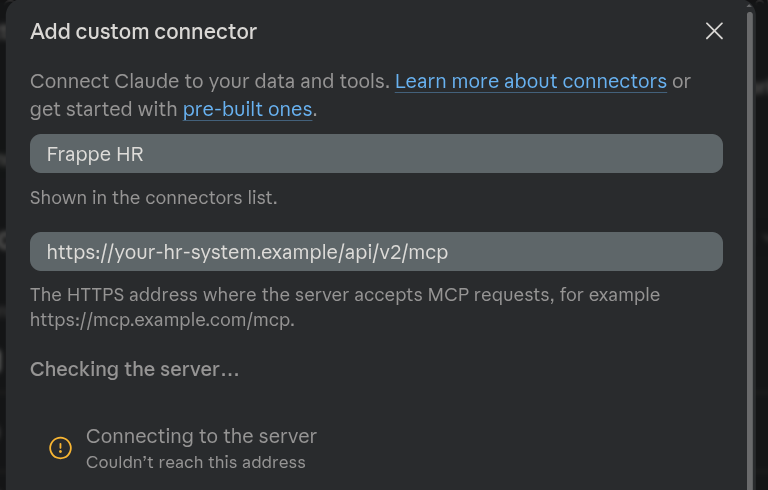
Mind you, this would usually work. If your HR system is in the cloud, it can be reached from outside, and Claude connects fine. My problem was that my system isn't public.
I needed Claude to sit on the inside, on my server, right next to Frappe. That gave me two options.
I could run Claude on the server's text screen. But that wouldn't show anything real. No HR team is going to run AI from a server's text screen, and definitely not on the servers their HR system runs on, because those belong to the vendor. So no.
Or I could use the Claude Desktop app. Except you can't install a desktop app on a server, because there is no desktop. Remember? It's only text.
So I built one. I set up what's called a virtual machine, which is basically a computer running inside a computer. And inside that virtual machine I installed Windows.
That took a lot of time to set up, and I ran into a few errors along the way. One of them was me giving the virtual machine more space than my server actually had, so it just told me: you can't. But eventually I got the setup going.
Windows takes a lot of space and it's slow, but for this it's fine, because once it's installed, everything just works. I downloaded Claude, signed in, and had the desktop app.
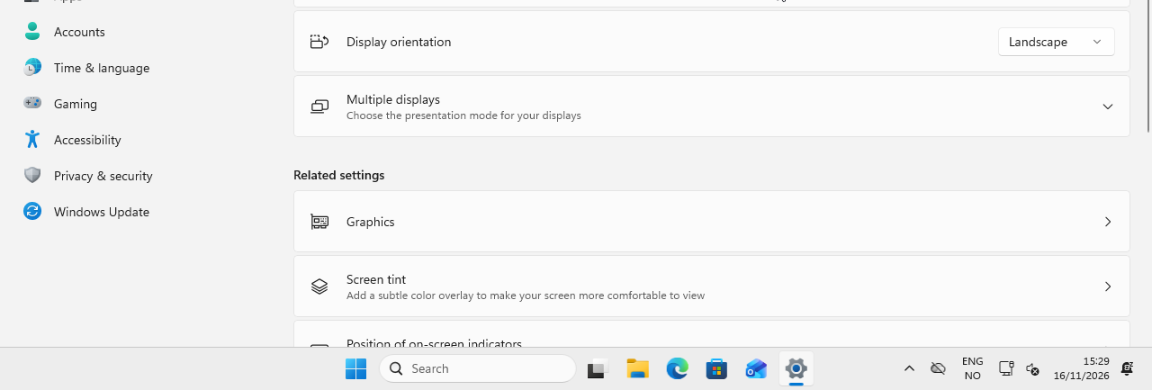
The server still has no screen of its own. My browser is the screen.
But I still couldn't just click connect, because that would go round through Anthropic's servers again. Instead, I set up the connection on that Windows machine. The key sits right there on that computer, and Claude goes straight from there into the system. Nothing has to come in from outside.
What Claude reads does go out, though. It's sent to Anthropic's servers, because that's where the thinking happens. One more reason the data is fake.
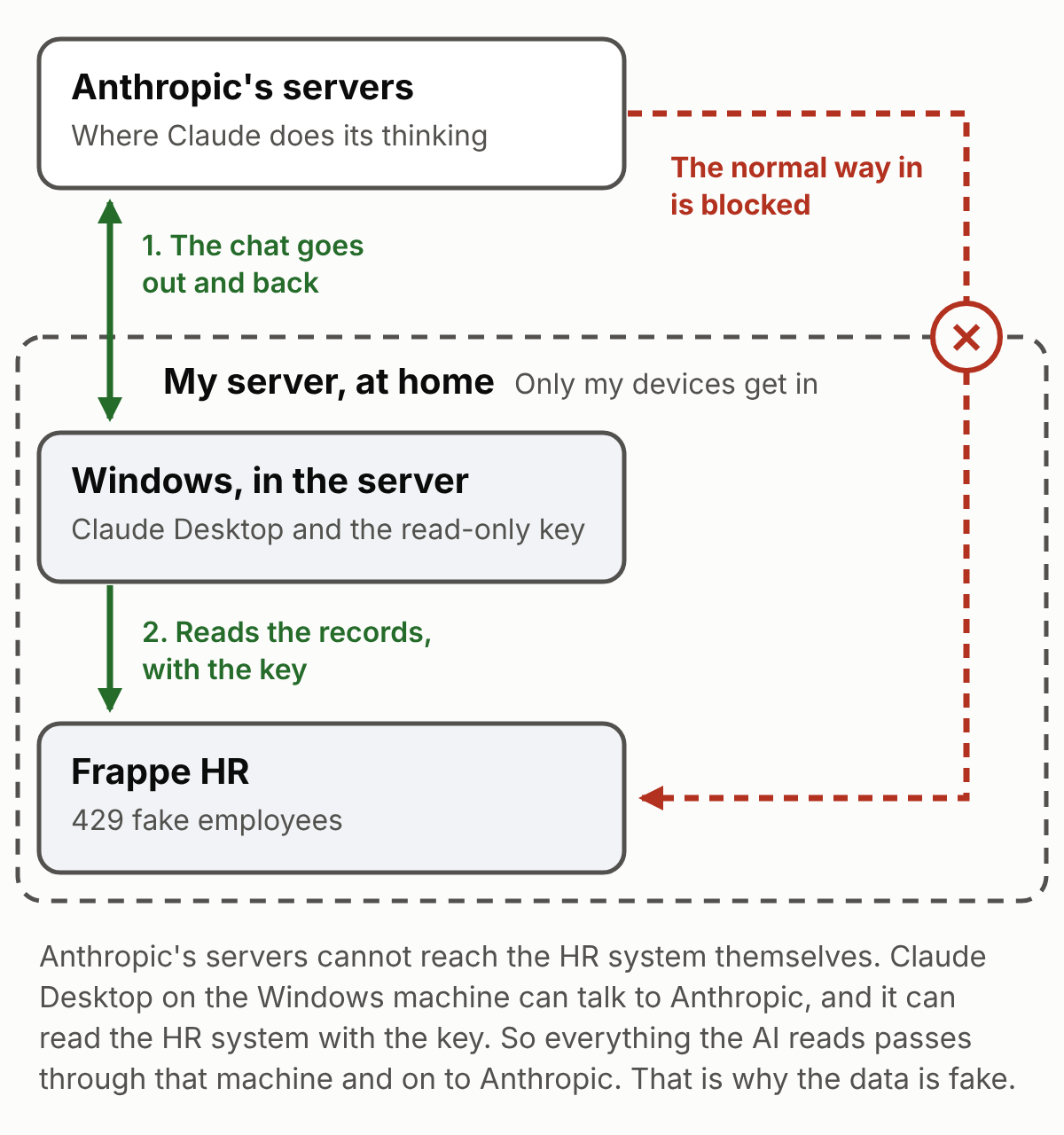
One thing worth knowing, though. That key sits in a file on the computer, in plain text. In my earlier article I said these keys need to be kept safe, and this is what that looks like. Anyone who gets into that machine has the key.
The key belongs to a user I made called AI Auditor, which can only read. No buttons, only monitors, like I described last time.
The first question
I started by asking about Tindra Industrier AS. Who's the highest-paid executive? And Claude went off and searched the internet for the company. It couldn't find anything, of course, because it's not a real company.
Which makes sense when you think about it. What's the first thing anyone does when you ask them to look something up? Go online. It's a reflex.
But it wasn't what I was after. So I told it: you have a tool that lets you into the HR system's database, and you can read all of it.
This time it answered. The CEO. And then it added something I hadn't asked for. Two people who aren't managers earn more than the CEO. One of them, an IT consultant, almost three times as much.
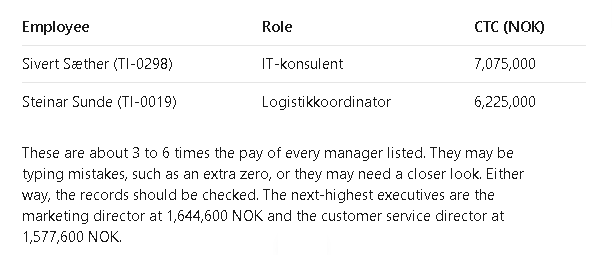
Then I asked it the real question. The prompt gave it a role, a goal and a list of things to check. The full text is in the case study, under run 1.
And then I clicked send.
Ten minutes
Claude sat down and got to work. It read through every record, analysed the data and structured it. It wasn't only chatting, either. It could run commands on that Windows machine, so it wrote its own checking program, ran it over all 429 records, found a fault in one of its own checks, fixed it, and ran it again. About ten minutes later, it was done.
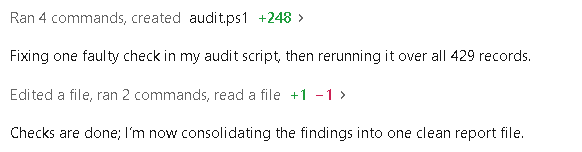
It found 124 of the 127 mistakes.
Every high and medium severity mistake, found.
The two I'd made thinking they'd never be spotted, found too. Both were surnames, spelt wrong everywhere, in the name and in the email addresses. Almost nothing in that person's record says it's a mistake, because it's wrong the same way throughout. The clue is that other people in the company have the same surname, spelt correctly. Claude used them to catch the ones that weren't.
The only ones it missed were the three postcodes that didn't match the town. 3183 Oslo, when 3183 is Horten. Low severity.
It even flagged a few real problems I hadn't planted, things that went wrong in the upload itself. And the decoys? It listed some of them, but only as things for me to confirm, not as mistakes.
This is work I know. I've sat in HR systems looking for mistakes, trying to work out what's wrong, what's missing and what needs fixing. By hand, this would have taken me weeks of grinding, and I probably wouldn't have caught them all, out of sheer boredom. 429 people, data point after data point after data point. You stop seeing it.
To be fair, one run doesn't prove much. The mistakes were planted, and they were invented by the same kind of AI that then went looking for them. So I ran the test four more times, with other prompts and a second model, and scored every run against the answer sheet. That's the case study.
How did it know?
I'll say it plainly. In this first run, my prompt told it what to check. Salaries that don't fit the role, empty fields that matter, and so on. What I didn't tell it was how. In the later runs I took the checklist away too, and it made no real difference.
Remember my first program? It only found what I told it to look for, the way I told it to look. This was the opposite. Claude wrote the checks itself, from knowing what normal looks like, and then it saw who was outside the pattern.
That's what a language model is underneath. I wrote about this when I built a tiny one myself. It's statistics. It predicts the most likely next thing.
And I never trained it on my data. What it's good at is spotting anomalies, the things that don't fit or that stand out. Give it one line and it has less to go on. But give it 429 employees, and the one earning almost three times the CEO sticks out. So it flags it.
What's next
This is only the first step. It's just looking at data. But it shows what AI can do inside an HR system: ten minutes to find nearly every mistake in a company of 429 people.
It found them, but it didn't fix them, because that's my job. The AI doesn't know what's right. It only knows what looks wrong. So now I go through what it flagged, starting with the high severity ones, then medium, then low. I work out the right fix, and I fix it. The AI finds them. I fix them.
And finding mistakes is only one use. It could read every employee's contract and check it against what's in the system. A raise with no letter. A manager change nobody wrote down. Different hours in the contract than in the system, or overtime that doesn't add up. It could dig through all the documents nobody ever sorts and tell you which department has the most warnings. It could check whether your contract templates still meet the legal minimum.
If you're wondering what it would take to do this with your own system, that's what my earlier article is about.
What would be really cool, though, is a sandbox of a real Norwegian HR system, filled with fake data, to see how Norwegian HR systems hold up when an AI analyses them.